Nepal – Accounting (l10n_np)
Localizes Odoo Accounting for companies operating in Nepal: NPR currency, a 13 % VAT chart of accounts, PAN/VAT partner numbers, Bikram Sambat (B.S.) dates on reports, and Devanagari-capable PDF output.
What it provides
NPR chart of accounts
A starter chart of accounts in Nepalese Rupees, loaded via the np chart template.
Auto-installs when a company's fiscal country is Nepal.
VAT (standard rate)
Sales/purchase VAT at 13% (the Nepalese standard rate), plus 0% and export/import variants, with a VAT return report.
PAN / VAT number
A l10n_np_pan_number field on partners, shown on the partner form (Invoicing page)
and on invoice reports.
Bikram Sambat dates
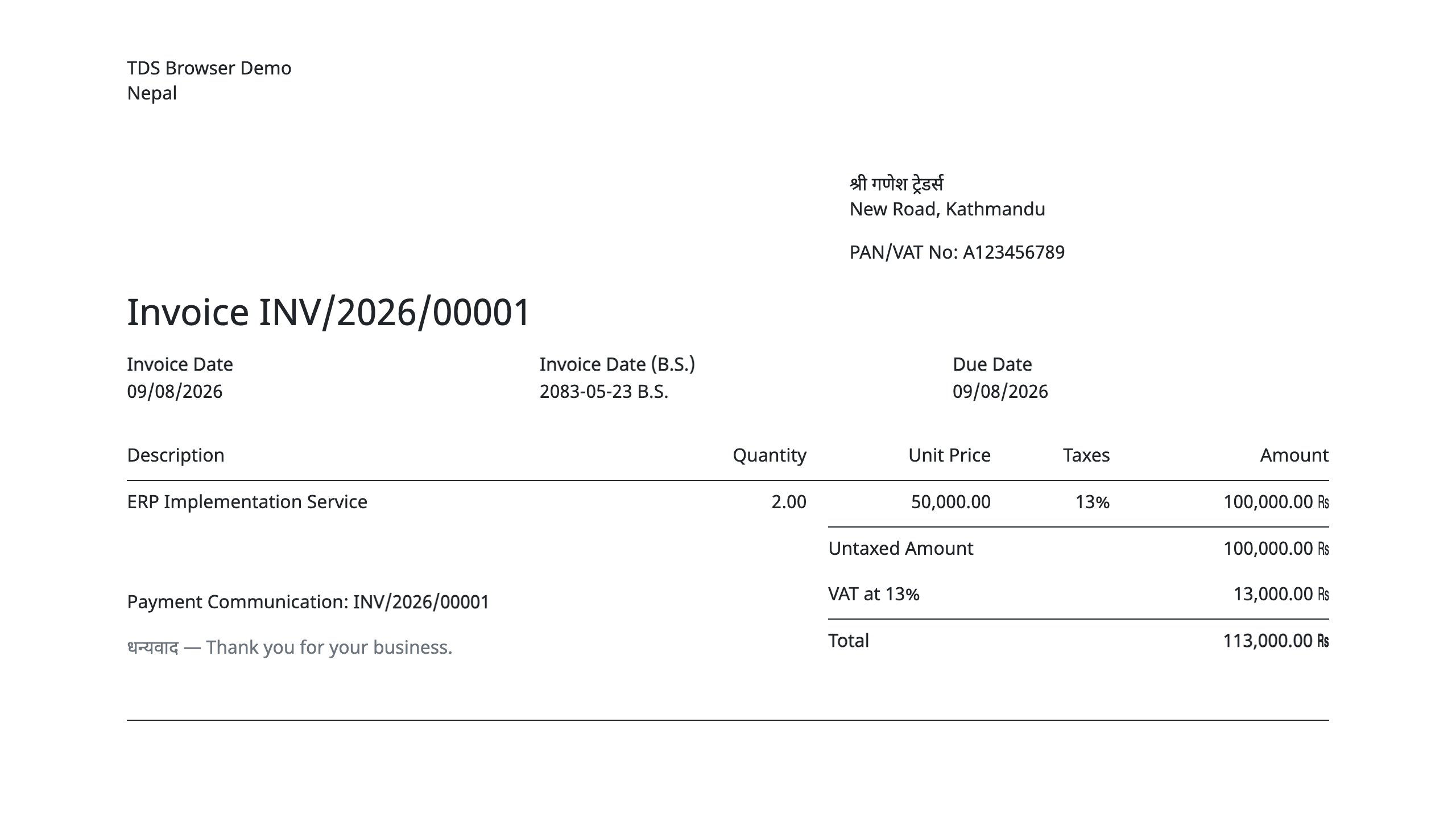
When a company enables "Show B.S. date on reports", invoices print the B.S. date next to the
Gregorian one (e.g. 2082-01-01 B.S.).
Devanagari reports
When a company enables "Devanagari font in reports", the report font is set to Noto Sans Devanagari so Nepali text renders correctly in PDFs.
ne_NP starter
Ships a Nepali (Nepal) translation starter file (ne_NP.po) to seed localized
strings.
The module in a real Odoo
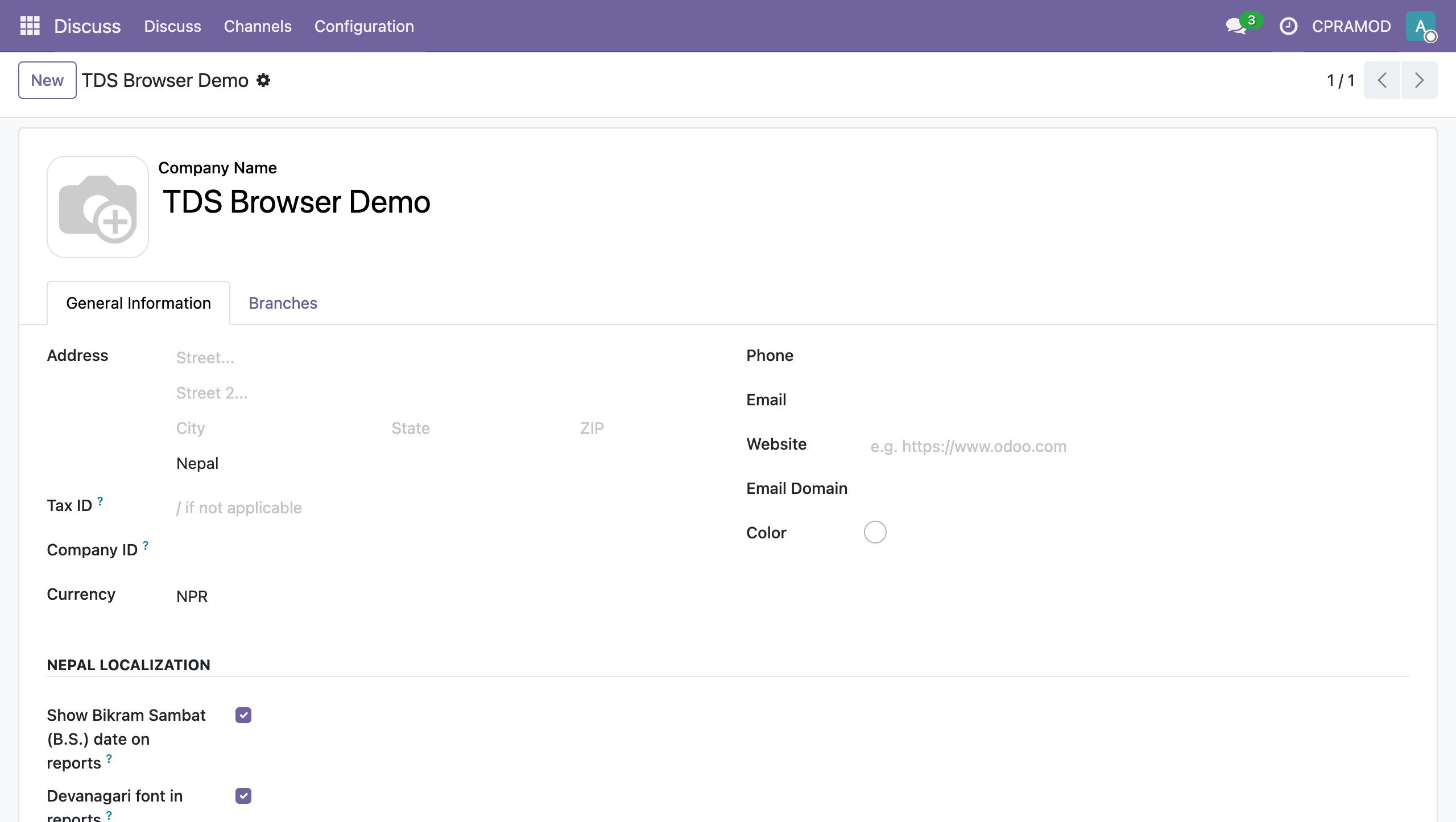
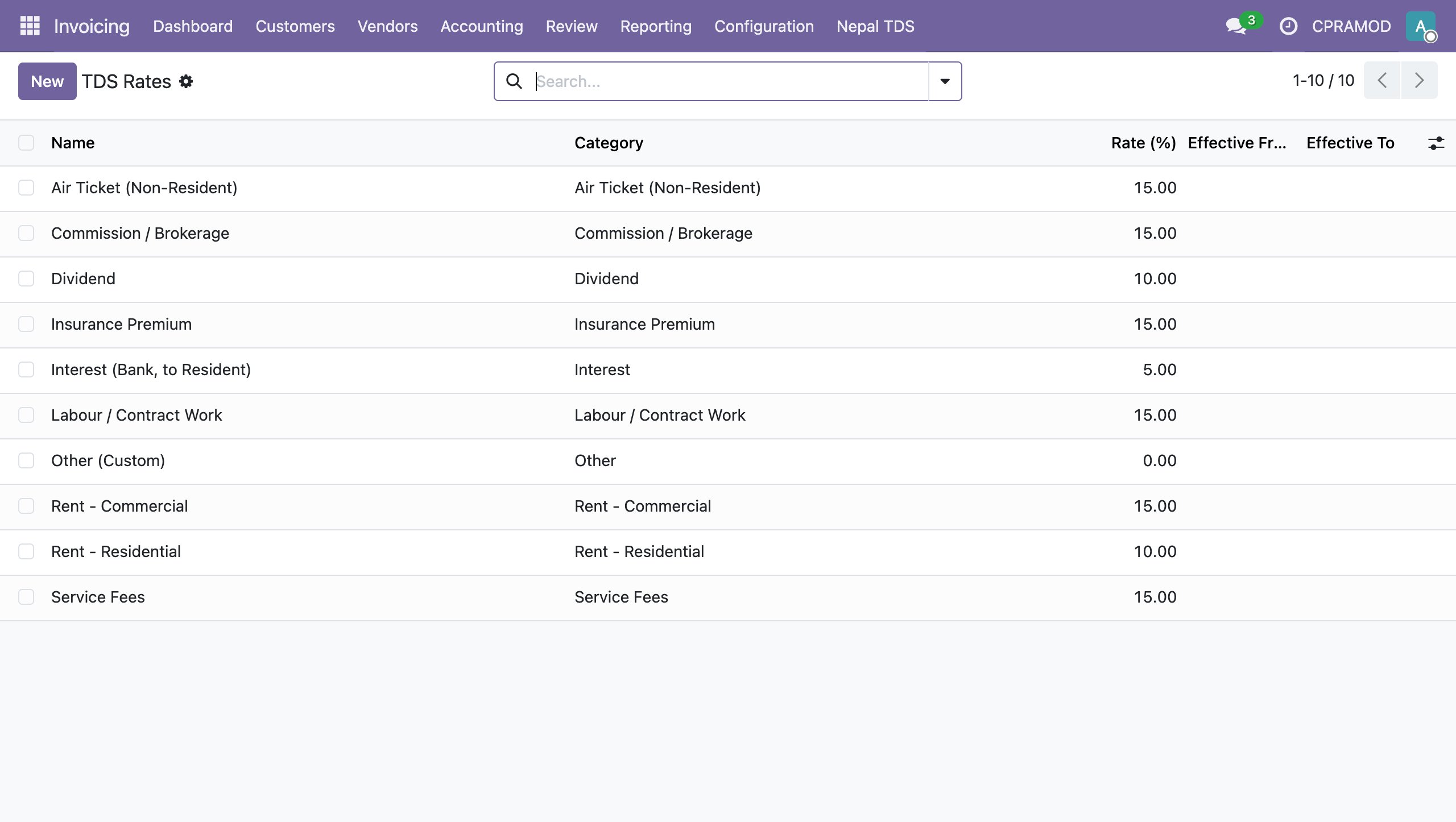
Screenshots from a live Odoo instance with the modules installed: an invoice with the B.S. date and Devanagari closing line, the company settings, and the TDS companion module's rate table, certificate and return.
l10n_np_tds.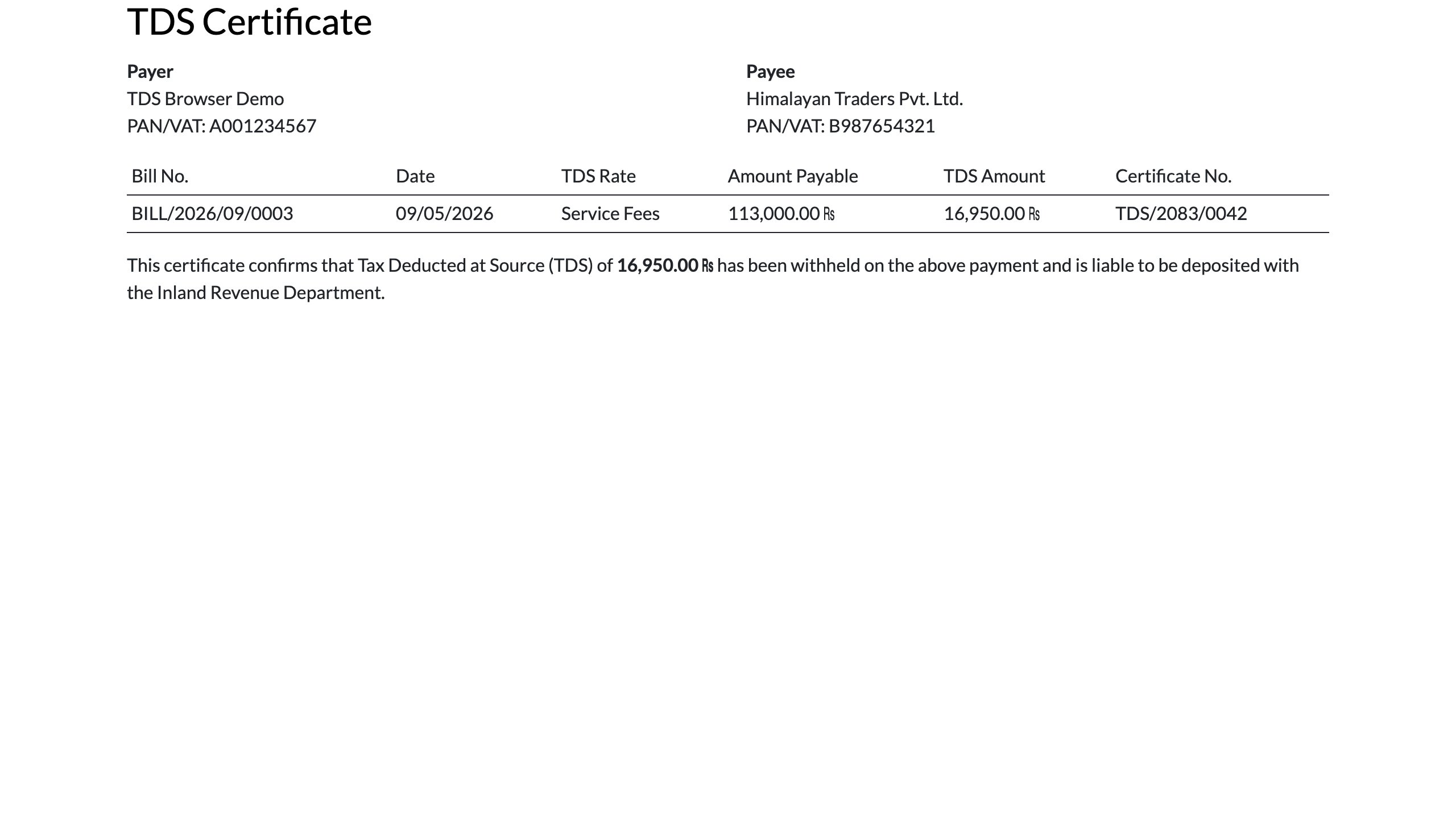
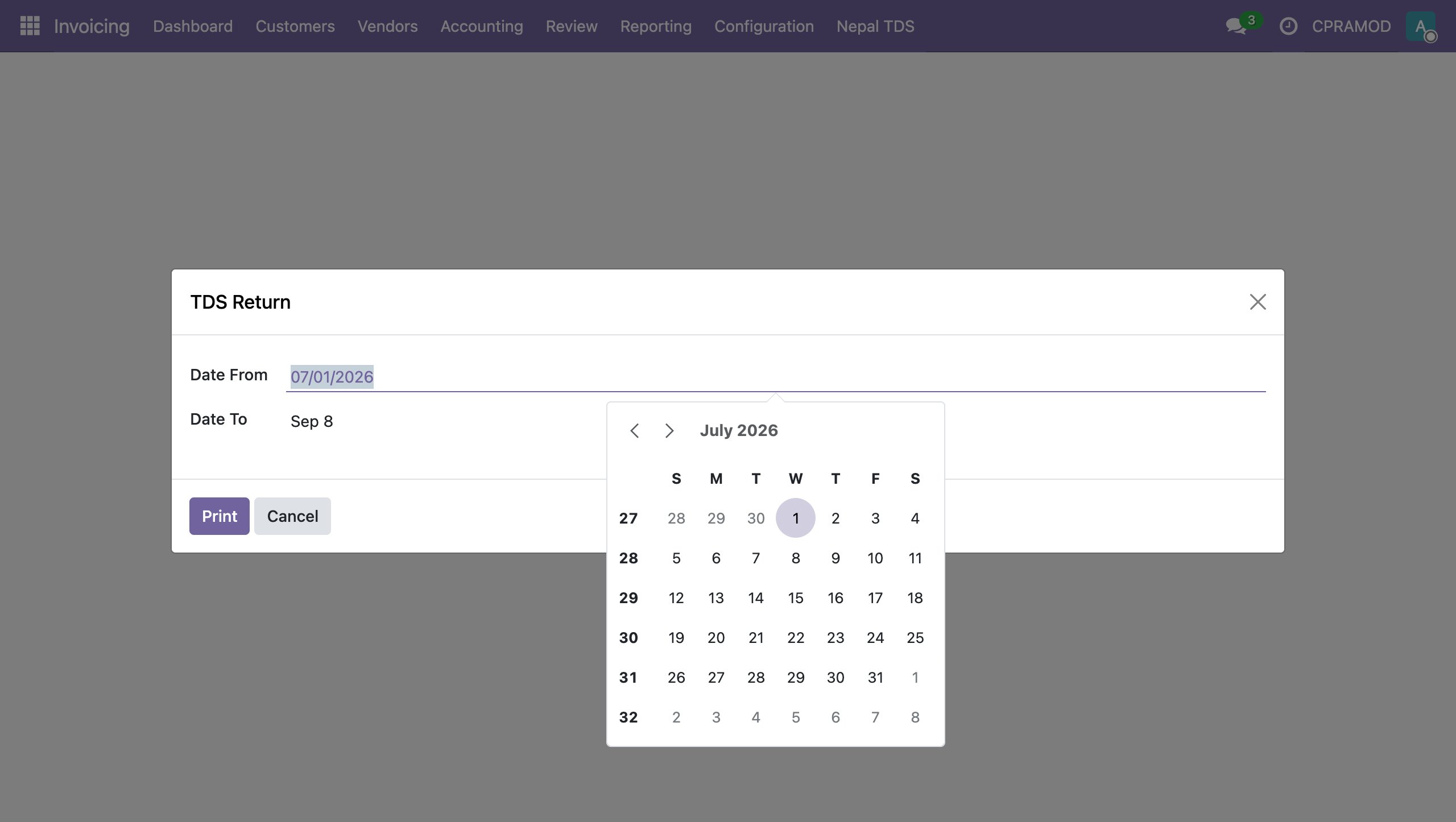
Chart of accounts
The starter COA uses 6-digit, grouped account codes. It loads automatically when a company's fiscal country is set to Nepal.
| Code | Name | Type |
|---|---|---|
| 100101 | Cash in Hand | asset_cash |
| 100102 | Bank Account | asset_cash |
| 100103 | Liquidity Transfer | asset_cash |
| 100201 | Accounts Receivable | asset_receivable |
| 100501 | Inventory Valuation | asset_current |
| 100901–100904 | Fixed Assets / Accum. Depreciation | asset_fixed / non_current |
| 200101 | Accounts Payable | liability_payable |
| 200201 | VAT Payable | liability_current |
| 200202 | VAT Receivable | liability_current |
| 200901 | Other Payables | liability_current |
| 300101 | Share Capital | equity |
| 300102 | Retained Earnings | equity |
| 300103 | Current Year Earnings | equity_unaffected |
| 400100 | Sales Revenue | income |
| 400101 | Sales Discounts & Returns | income |
| 400200 | Other Income | income_other |
| 500100 | Cost of Goods Sold | expense_direct_cost |
| 500200 | Salaries & Wages | expense |
| 500300 | Rent Expenses | expense |
| 500301 | Utilities | expense |
| 500400 | Depreciation | expense_depreciation |
| 500500 | Bank Charges & Interest | expense |
| 500900 | Miscellaneous Expenses | expense_other |
data/template/ to match your
statutory chart before going live — they are not a complete Nepalese statutory chart.Bikram Sambat (B.S.) calendar
The B.S. date conversion is a bundled, self-contained table of month lengths for B.S.
1975–2100 (126 years), anchored to 1918-04-13 AD = Baisakh 1, 1975 B.S.. The table is
derived from the open-source nepali-datetime project (Apache-2.0) and cross-checked against
that library for all supported years.
- Supported range: B.S. 1975–2100 (≈ AD 1918–2043).
- Dates outside the range return no B.S. date (nothing is shown).
- Conversion functions live in
models/l10n_np_bs.py:bs_to_ad(),ad_to_bs(),format_bs().
Devanagari font
The module bundles NotoSansDevanagari-Regular.ttf (Noto Sans Devanagari, OFL
license) and registers it as the Noto_Sans_Devanagari company report font. The
@font-face is in report_devanagari.css, loaded in the
web.report_assets_common bundle.
wkhtmltopdf fallback
If the server's wkhtmltopdf cannot fetch the bundled font file, install the font on the host instead:
cp addons/l10n_np/static/fonts/NotoSansDevanagari-Regular.ttf /usr/share/fonts/
fc-cache -fInstallation
Unzip into your Odoo addons/ path, then install:
odoo-bin -i l10n_npThe module auto-installs when account is present and a company's fiscal country is set
to Nepal. To load the chart of accounts into a company, set the company's fiscal country to Nepal and
the template loads automatically, or load it explicitly from Settings.
Company settings
On the company form (Settings → Companies), the Nepal Localization group offers two toggles:
- Toggle Show Bikram Sambat (B.S.) date on reports
- Toggle Devanagari font in reports
Out of scope
- TDS (Tax Deducted at Source) — covered by the companion module
l10n_np_tds(its screenshots are in the In action section above). - FBR e-invoicing — a later module building on this one.
Ready to localize for Nepal?
Download the module and put your Nepalese accounting on autopilot.