Every date field speaks Nepali (nepali_datepicker)
Install one module and every date and datetime field in Odoo opens a
Bikram Sambat calendar — Devanagari month names, Devanagari digits, the Nepali week. Dates display in
B.S. and store as Gregorian. No migration, no configuration.
What it provides
Devanagari B.S. calendar
Month headers in Nepali (e.g. भदौ २०८३), weekdays in Devanagari (आइत, सोम, मंगल … शनि), and a year view that lists B.S. years in Devanagari digits.
Display B.S., store Gregorian
The database keeps ISO Gregorian dates. The picker converts on display and entry only — no migration, no data at risk.
Every date field
All date, datetime and daterange fields open the B.S. calendar.
The module force-overrides the web client's datetime_picker service.
Verified conversions
A 91-year B.S. table (2000–2090) ships in the module, cross-checked against the reference
nepali-date-converter library: 27,396 samples, 0 mismatches.
Pure frontend
JavaScript, SCSS and OWL templates only. No models, no migrations, no settings to configure — install it and the calendar appears.
One-command install
Drop the zip into your addons/ path and run
odoo -i nepali_datepicker. It works on any database, any company.
The picker in a real Odoo
Screenshots from a running Odoo 19 instance with the module installed: the B.S. date calendar on an invoice's due date, the datetime variant with its time sliders on a purchase order, and the invoices list — where every date column shows Nepali and Gregorian side by side.
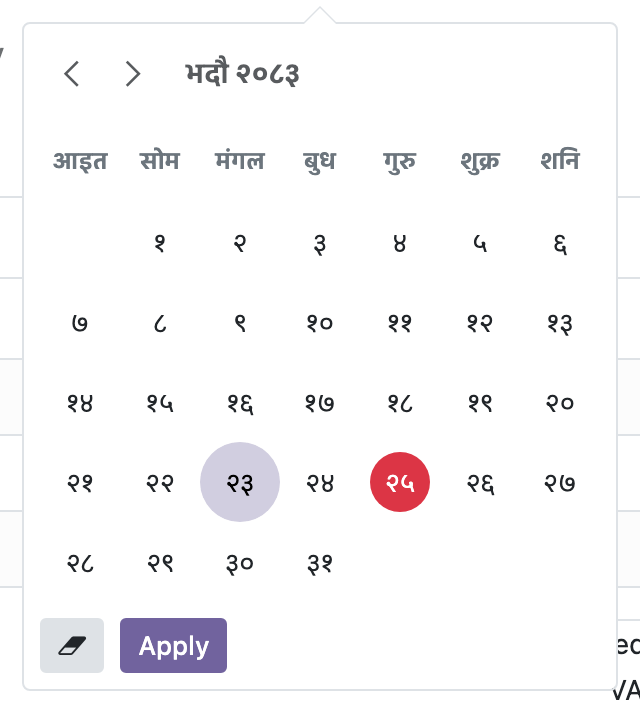
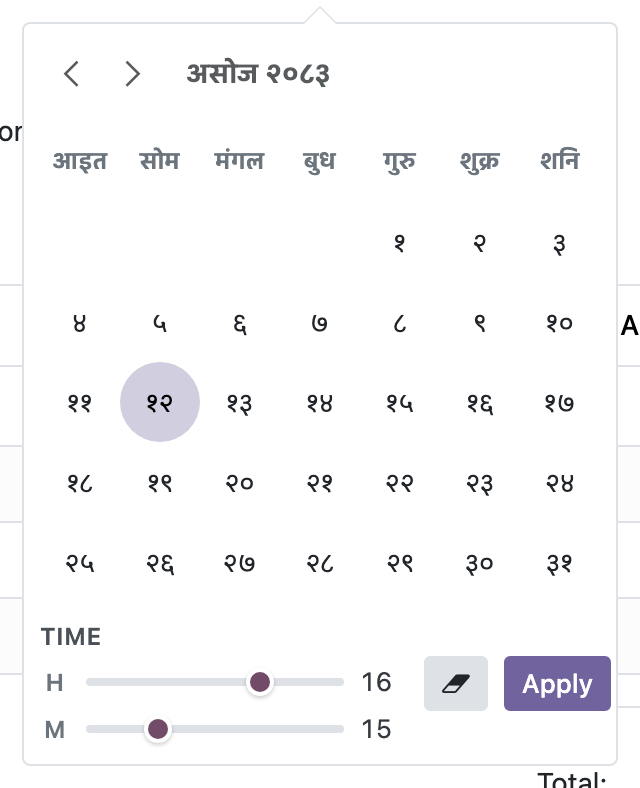
datetime fields the same popover adds a time-slider panel: pick the B.S. date,
then set the hour and minute on the sliders, all in one popover.
Sep 8 (2083-05-23). The database still stores plain ISO Gregorian dates —
the listing just speaks Nepali.How the conversion works
The B.S. conversion data is a self-contained table embedded in
bs_calendar.js: BS_YEAR_MONTH_DAYS (91 years × 12 months) from the open-source
nepali-date-converter library, anchored at 13 April 1943 = B.S. day 0. It covers
B.S. 2000–2090 (≈ 1943–2133 A.D.) — the range in which the Nepali calendar is in use.
- Verified against the reference library: 11,436 B.S.→A.D. and 15,960 A.D.→B.S. samples, 0 mismatches.
- Out-of-range dates fall back to a plain Gregorian display — nothing breaks.
- All conversion happens client-side; the server and database never see B.S. dates.
Installation
Download the zip, unzip it into your Odoo addons/ path, and install:
unzip nepali_datepicker.zip -d /path/to/your/odoo/addons/
odoo -d your_database -i nepali_datepicker
Then hard-reload the browser (Cmd/Ctrl-Shift-R) so the new assets are picked up. That's the whole installation — there is nothing else to configure.
Put the Nepali calendar in every date field.
Download the module, or browse the source on GitHub.